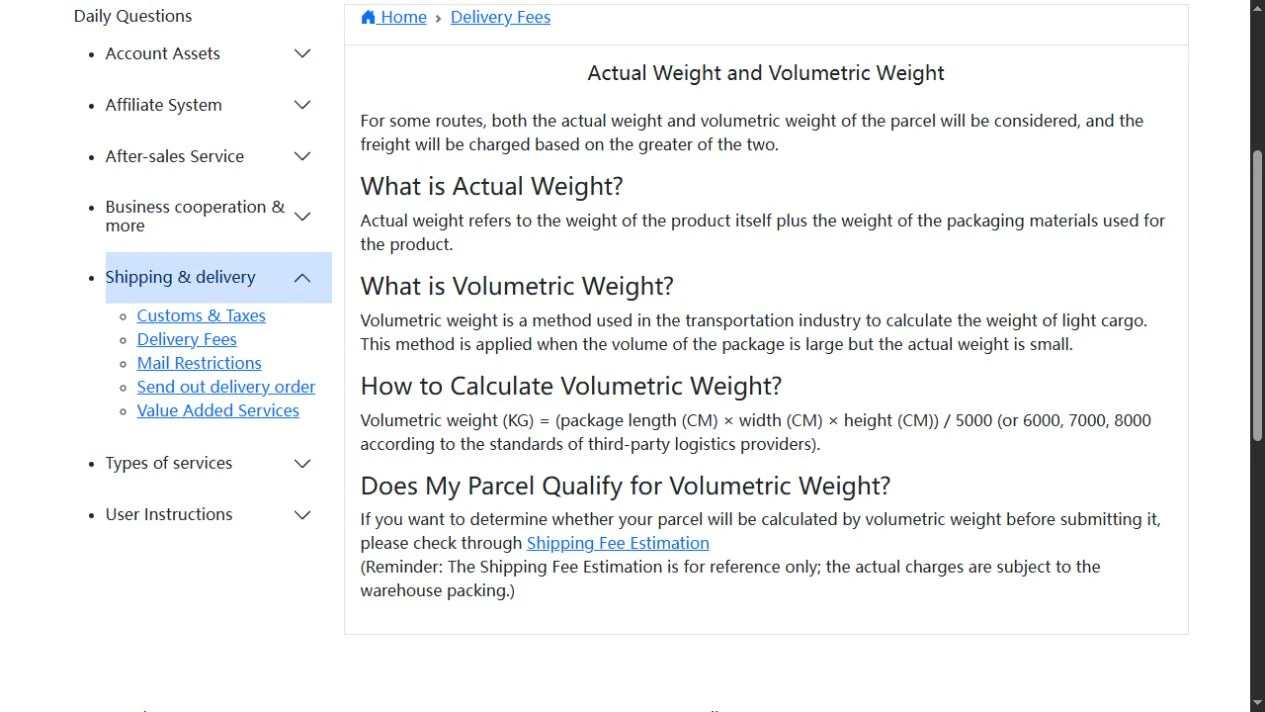
A shipping total is difficult to interpret without its inputs. Before using a Joyagoo calculator result, check whether the weight and dimensions describe the final packed contents and the correct destination, not a loose collection of product measurements.
Use the provider's actual rule
Volumetric kilograms are calculated from length × width × height in centimetres divided by the provider's divisor. Joyagoo explains different logistics divisors; the value is not universal across lines.
This hypothetical example shows the arithmetic, not a real parcel quote:
| Input | Assumed value |
|---|---|
| Outer dimensions | 50 × 30 × 24 cm |
| Actual weight | 5.2 kg |
| Example divisor | 6000 |
| Volumetric weight | 6 kg |
50 × 30 × 24 ÷ 6000 = 6. A service that uses the greater weight would start from 6 kg instead of 5.2 kg, before its own billing increments and rates.
Change one input to understand the result
If the hypothetical height becomes 20 cm, volumetric weight becomes 5 kg. Assuming actual weight stays at 5.2 kg, actual weight is now the larger figure. This is not a promise of a particular repacking saving: protection, mass and line eligibility may change too.
Browse accessories in the catalog. A bag or fragile item may need space to preserve its shape. Do not use the smallest visible product dimension as the final safe package size.
Keep an estimate reproducible
Record contents, destination, service, dimensions, weight, included options and date. If the payable amount changes, those details let you compare the old estimate with the new parcel. A currency amount alone does not.
Read shipping guidance for the full cost comparison and warehouse guidance for choosing items ready to send. Use this example to understand the calculation, then verify the selected service's actual rules.